13 Feb 2019

c#basics static-class static-ctor Canvas–project

toop

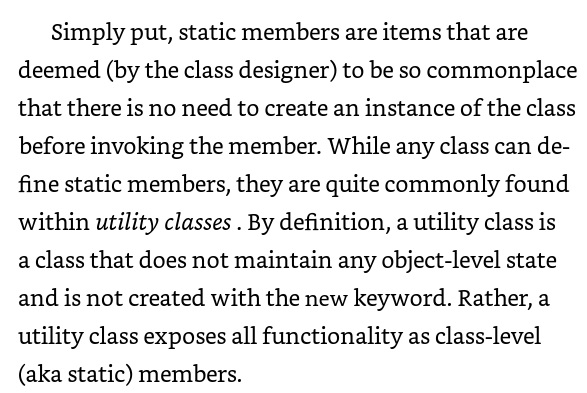
We learned about the static class and static ctor. In the second part of the lesson we solved the Canvas exercise

ex

More topics covered:

    • static ctor arguments
    • static ctor access modifier
    • static ctor initialization code
    • is the static ctor being called every time?
    • sealed class

Links:

10 Feb 2019

c#basics Encapsulation access-modifiers public-private-protected-internal getters-setters foreach-loop

toop

We learned about the Encapsulation in OOP which is implemented by the six access modifiers for data and methods (public, private, protected, internal, protected-internal, private-protected [requires c# 7.2]) and the three modifiers for class (public, internal, private), how to add-reference from one project to another, Getters/Setters, for-each loop

modifiers2

UML:

access

More topics covered:

    • What are modifiers?
    • How to install c# 7.2
    • How to compile to c# 7.2
    • Default access modifiers (class/data/functions)
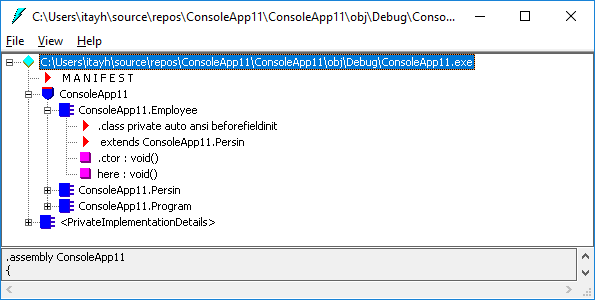
    • ILDASM “private ansi” is actual internal for class
    • private class
    • Circular reference  between projects
    • Creating two projects and add reference > solution
    • Using Setters to filter wrong data (i.e. negative height)
    • Static data could be used as configuration
    • Avoid repetition of values by using a bool[ ] array

Links:

07 Feb 2019

c#basics static-method static-field const readonly

toop

We learned about static-data, static-methods, const, read-only, class data fields initialization step

Constantvsreadonly

static

More topics covered:

    • How to access static/const
    • Access static using a derived class
    • Creating static methods – design considerations
    • Const is replaced during compilation
    • Using static/const fields to define an array size
    • .NET Object class static methods
    • Static method can only call another static method

Links:

03 Feb 2019

c#basics ctor-overloading :this :base virtual class-Object

toop

virtual

We learned about ctor overloading, method overloading, using this keyword to call from one ctor to another, using this keyword to refer to class data fields, calling specific base ctor by using base key word, class Object, virtual methods

More topics covered:

    • All classes inherit from Object class
    • Using this.[field-name] in ctor, for example:
      Person(int id) { this.id = id; }
    • : this , for example:
      Person(int id) { this.id = id; }
      Person(int id, string name) :
              this(id) { this.name = name }
    • : base , for example:
      Person(int id) { this.id = id; }
      Employee : Person
      Employee(int id, string name) :
             base (id) { this.name = name }
    • Creating our own custom virtual methods
    • +Override our own custom virtual methods
    • Virtual vs. abstract
    • Passing arguments to console application using Command Prompt
    • Adding readme.txt into GITHUB folder

Links:

30 January 2019

c#basics Common-Intermediate-Language (CIL) ILDASM ILASM ctor default-ctor command-prompt (CMD)

toop

ildasm

We learned about Common Intermediate Language (CIL), IL Disassembler (ILDASM.exe), IL Assembler (ILASM.exe), Class Constructors, default Constructor

More topics covered:

  • Adding ILDASM to Visual Studio 2017 Tools menu
  • Investigating our .NET class code using ILDASM
  • ctor key-word
  • Creating few ctors in the same class
  • Debug/Release configuration
  • Bin/Debug + Bin/Release folders
  • Creating auto generated constructor in Visual Studio 2017
  • Command Prompt (CMD)
  • Running our Console Application using the  Command Prompt
  • Users: guest, user, administrator
  • Converting executable .net file  (.exe) to Intermediate Language (IL) using ildasm.exe
  • Modifying Intermediate Language (IL) code using notepad
  • Converting Intermediate Language (IL) back to executable .net file  (.exe) using ilasm.exe, and run it again

Links:


27 January 2019

c#basics inheritance abstract-class-method Polymorphism class-inside-class array-of-classes class-as-argument

toop

We learned about inheritance, abstract classes, abstract methods, calling base.ToString(), class inside another class, array of classes, class as parameter type of a method

More topics covered:

  • Creating nested new: derived class inside parent class
  • Creating method which accepts a parent base class (shape). this allows you to send any derived class (i.e. circle, rectangle)
  • Abstract class – usually adding “Base” postfix, i.e. ShapeBase
  • Creating array of classes, create new items of each class inside
  • Polymorphism

Links:

23 January 2019

c#basics Object-Oriented-Programming UML Class new ToString [DebuggerDisplay]

toop

We learned about the Object Oriented Programming (OOP) concept. we learned about classes, objects, data, functionality, inheritance, abstract, new, ToString

More topics covered:

  • Creating new Class
  • override ToString()
  • [DebuggerDisplay]
  • Object Initializer

Links:

02 January 2019

c#basics File-Explorer-App Menu
MessageBox-Result Open-File-Dialog Color-Dialog

shot.png

We developed together in class a File Explorer which could open images, open text files and color labels
We learned how to create MessaegBox which shows buttons –  and handle the option the user has selected in the message box

More topics covered:

  • Menu-Strip
  • Color-Dialog
  • Open-File-Dialog
  • Loading a file into a picture Bitmap
  • Loading text file into a list of strings (very advanced, not required in this module)

Links:

26 December 2018

c#basics Simon-game MessageBox UI-Thread new-Thread().Start Thread.Sleep const Mono

simon

We developed together in class a Simon game – where the computer plays random colors and you have to repeat them (be careful: one wrong color and your out!)
We learned about the UI thread and creating a new worker thread
We learned about global scope of variables
We learned about Thread.Sleep
We learned how to create MessaegBox using: MessageBox.Show(…);
We learned about WinForm theory, and Mono project

More topics covered:

  • Using const, i.e. const int MAX = 4
  • Setting Colors using Color., i.e. Color.Red
  • Setting Text/Colors from the Form1.Designer.cs
  •  new Thread(() =>
    {
         // put your code here
    }).Start();
  • WinForm Framework theory – .NET versions, GDI, popularity, usage, …, read here: Winform PDF
  • Mono cross-platform, read more about it here: Mono Project
    mono

Links:

Design a site like this with WordPress.com
Get started